
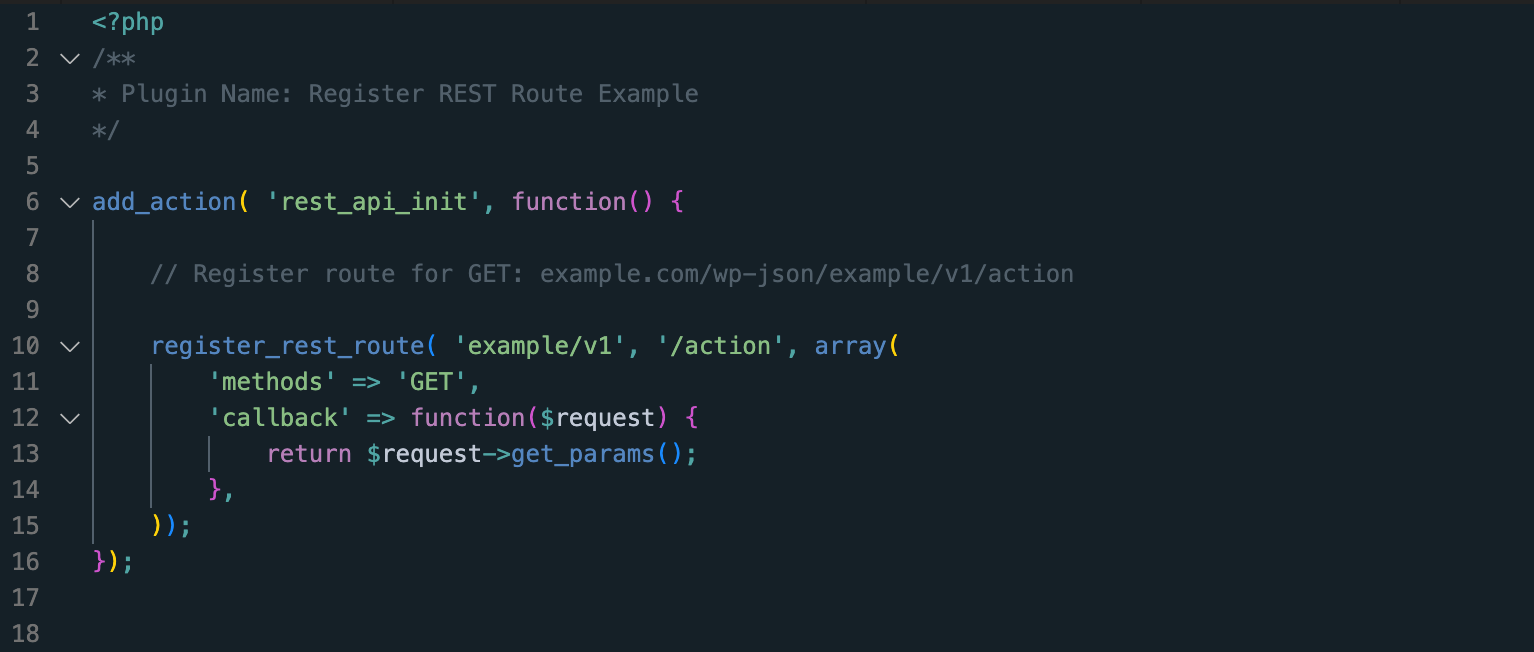
The WordPress REST API has become the go-to for any communication between the front-end and back-end. We’ve come a long way, from using admin-ajax to a professional, flexible and extendible REST API. Registering routes Registering a REST endpoint is pretty easy, below you’ll find some ready-to-use code, including the plugin headers. This is everything you […]
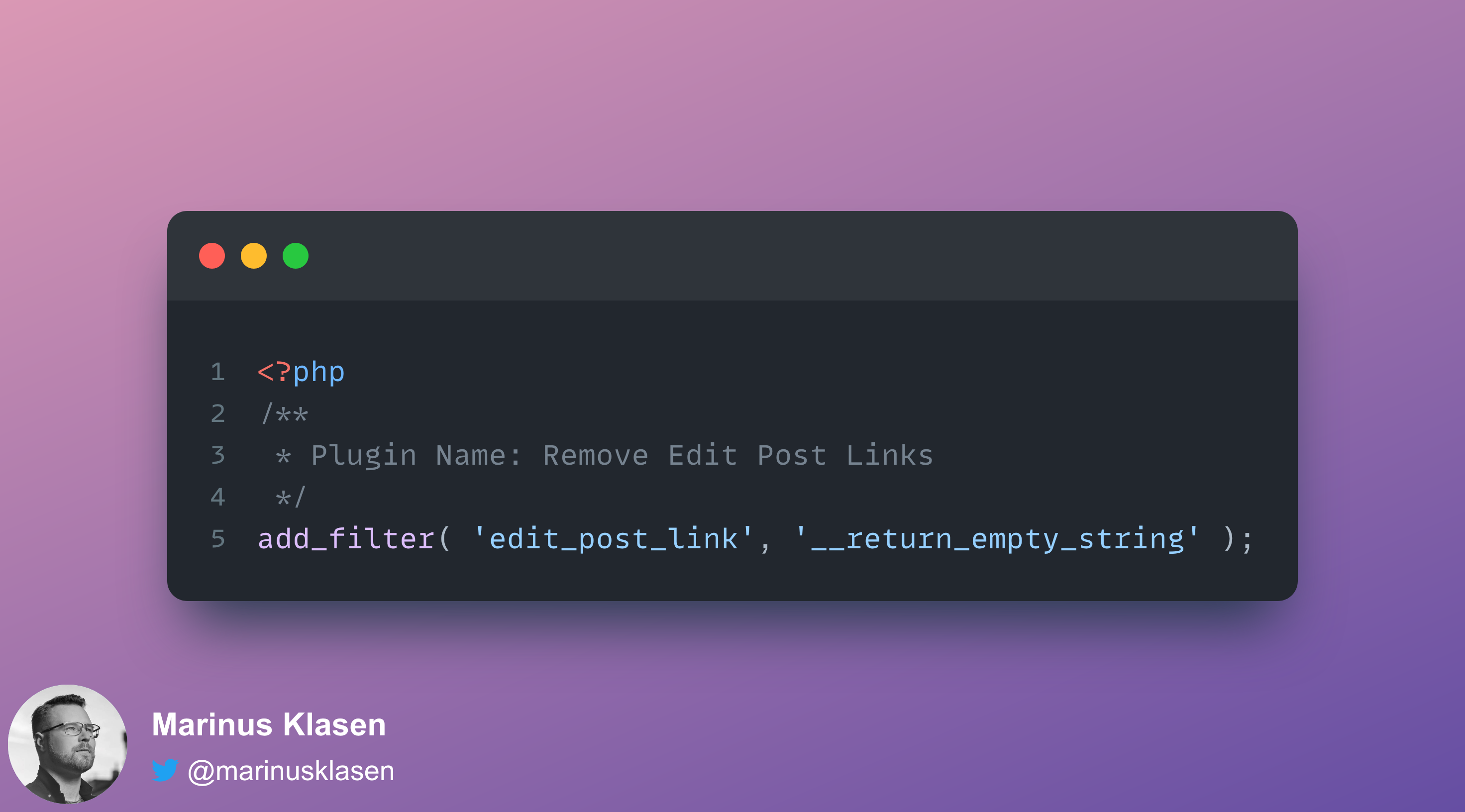
Remove all edit post links in WordPress with a simple filter
How often do you actually click on a edit post link from within the content? For me.. almost never. I usually just click the Edit post/page link in the dashboard bar that’s shown in the top. If you’re like me, and just want to get rid of that link, add the following one-line filter to […]
Registering block styles in WordPress with PHP
Sometimes you just want a block to show up a little different than the options that WordPress, or your theme provides by default. In those cases it’s nice and easy to just add a simple PHP plugin, or add a few lines of code to your functions.php It’s possible to influence the various options for […]
Host key verification failed when connecting over SSH?
When there’s really no other option to connect over SSH and everything results in messages like “host key verification failed”, try adding the following parameter to your ssh command: This, as the name implies, disables strict host key verification and should allow you to login to SSH.
Run VS Code server (Remote SSH) on Alpine
Update: I noticed a bunch of searches landing here because of VSCode 1.86 dropping support for glibc older than 2.28. If this is your issue, please read the VSCode docs here, or this Github issue. It basically means that you need to downgrade to VSCode 1.85 VS Code server requires glibc and libstdc++ and to […]
Show the errors and notices from WordPress in Docker
Another short, solution-minded blog post today! In some cases I run the default WordPress Docker container. But, debugging is always well, a bit more complicated. We can enable WP_DEBUG_LOG by setting an environment variable: WORDPRESS_DEBUG_LOG But how do you read, or even better, tail the debug.log file? Run docker logs -f docker_container_name_or_id > /dev/null The […]
Accessing the Docker Engine API remotely
I was digging into possibilities to manage docker containers remotely and it turns out, it’s not as difficult as you’d imagine. We just need to make a few small changes to access the Docker Engine API. How to access the Docker Engine API remotely? When you’re running Ubuntu (16.04+) you have to make a small […]
Figma: Convert a group to a frame
One of those things I always wanted, but that seemed impossible. I’d search Google for the solution for minutes! I figured it out, and thought I’d share the solution with you. How do you convert a group to a frame in Figma? Select the group, then go to your right sidebar, in the design panel, […]
Halcyon Part 3: Simplified
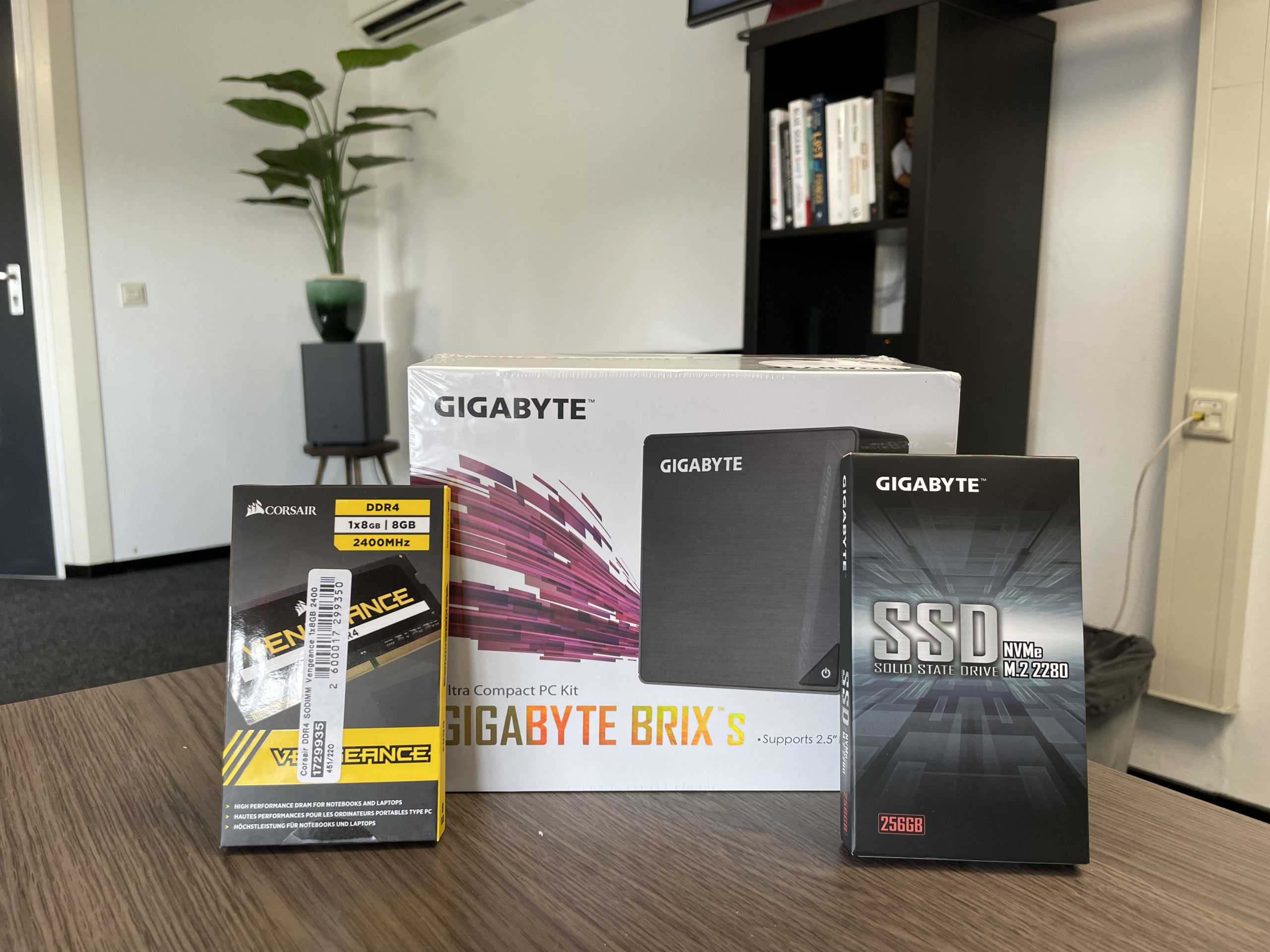
Hey! Here’s the simplified version of Halcyon Part 3. This version is created as a follow-along and will set the foundation for other videos as well. The idea is to eventually have your own mini-server running at home or at the office. But, since purchasing hardware is quite a barrier, I decided to run a […]
- « Previous Page
- 1
- …
- 4
- 5
- 6
- 7
- 8
- …
- 13
- Next Page »